Markdown and LaTeX Support: Full support for rich text and mathematical expressions.
RAG Integration: Advanced document interaction with Retrieval Augmented Generation, including local and remote document access.
Web Browsing: Integrate web content directly into chats.
Prompt Presets: Easy access to preset conversation starters.
RLHF Annotation: Feedback tools for training models using thumbs up/down and textual feedback.
Conversation Tagging: Simplifies searching and organizing chat records.
Model Management: Download, delete, or update Ollama models directly from the UI.
Multiple Model Support: Switch between different models for varied interactions.
Multimodal Interactions: Supports image generation and other multimodal functionalities.
Modelfile Builder: Create and customize modelfiles easily.
Collaborative Chat: Group conversations with multiple models.
Local Chat Sharing: Generate and share chat links for collaboration.
Voice Input and Text-to-Speech: Interact with models using voice; customize TTS settings.
Advanced Parameters Control: Customize conversation settings with detailed parameters.
OpenAI API Integration: Supports integration with OpenAI and other compatible APIs.
Multi-User Management: Administer user roles and access through a comprehensive admin panel.
Security Enhancements: Features like model whitelisting, role-based access, and backend reverse proxy support.
Multilingual Support: Available in multiple languages with ongoing expansion efforts.
Continuous Updates: Regular enhancements and new features.
# installer python 3.11 si pas déjà fait
sudo pacman -Syu python311

# créer un venv avec python 3.11
python3.11 -m venv ~/open-webui-venv

# activer le venv pour fish
source ~/open-webui-venv/bin/activate.fish

# vérifier que pip et python sont du venv
which python
which pip

# installer open-webui dans le venv
pip install open-webui

#Démarer open web-ui , part défaut port 8080
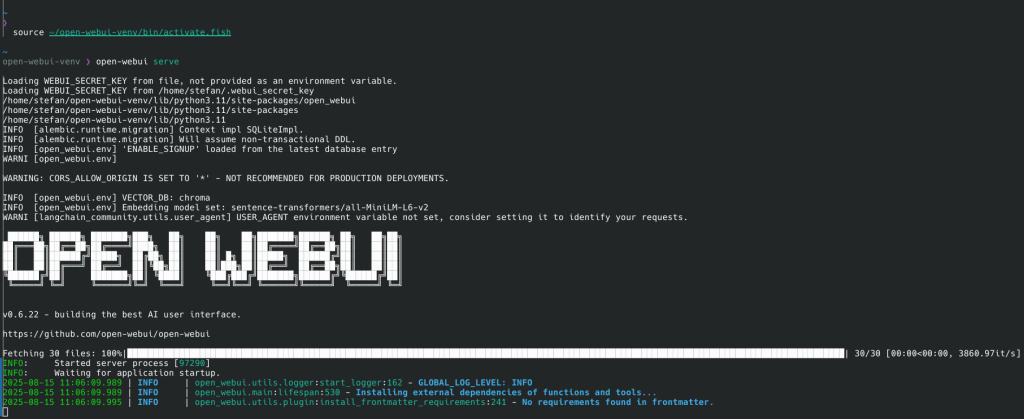
open-webui serve

#si besoin de spécifier autre port
open-webui serve --port 3000